
YTMP3: YouTube to MP3 Converter
Turn a YouTube video to MP3 in a few clicks.
Search results
YTMP3 is a free YouTube to MP3 converter without pop-up ads. Search YouTube directly by keyword or paste a video link, then convert and download your MP3. YTMP3 works in your browser without signup or software installation. Save the audio to your device and listen offline with your favorite player.
How to use YTMP3?
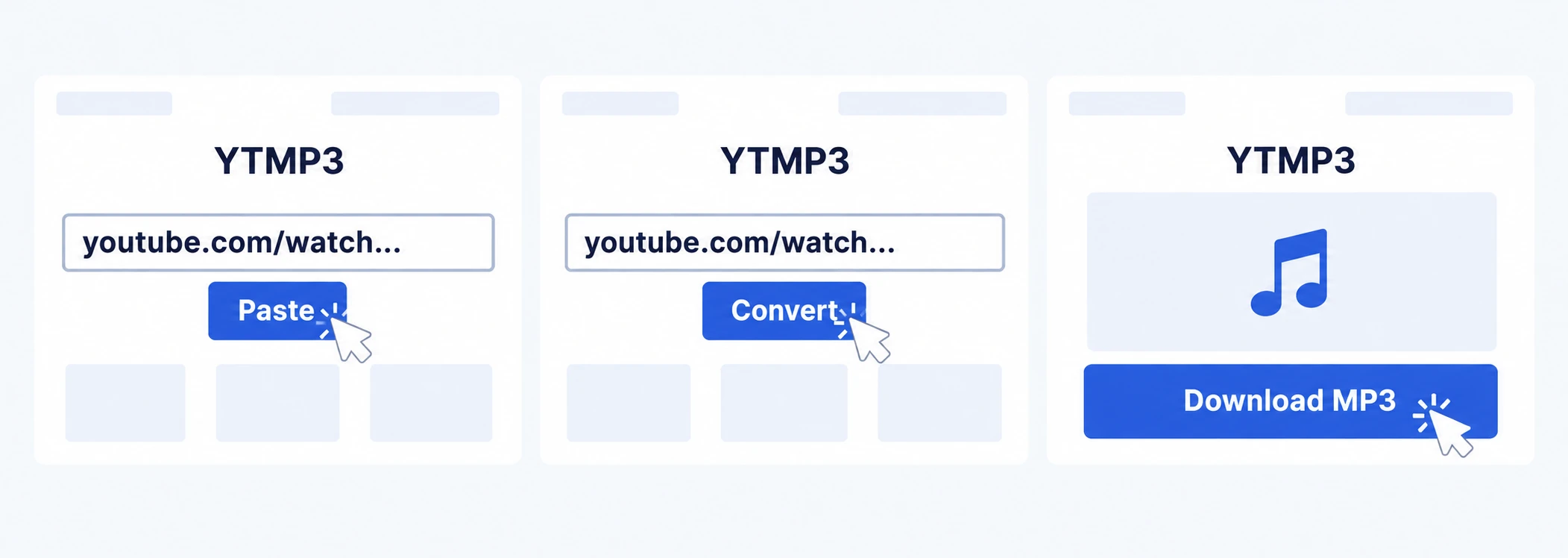
Search or paste a link.
Open YTMP3 and enter a song name, video title, artist name, or any other keywords, and click Search or paste a YouTube link into the box above.
Convert the video.
Click Convert next to a search result you like, or after pasting a link. If asked, finish verification and leave the page open while your MP3 is being generated.
Download your MP3.
Once the conversion is complete, select Download MP3. After the download finishes, find your MP3 in your browser’s downloads list or your device’s Downloads folder.
Before you download
YTMP3 supports individual YouTube videos, Shorts, YouTube Music videos, and shortened youtu.be links. Downloads contain MP3 audio only, without video or subtitles. For playlists, convert each video separately.
If you can’t find a video in search, try more specific keywords or paste its YouTube link. Private, removed, or restricted videos may be unavailable. Audio quality depends on the original source and the conversion process.
Download links are temporary. If yours expires, convert the video again to get a new link.
Need help? Visit our download FAQ or contact us.